地図の見た目を選ぶ
紙の色と、線の描き味。
PictFoot
行った場所に、写真とひとことを残せる地図のアプリ
アプリをダウンロード


無料・iPhone と Android に対応
Concept
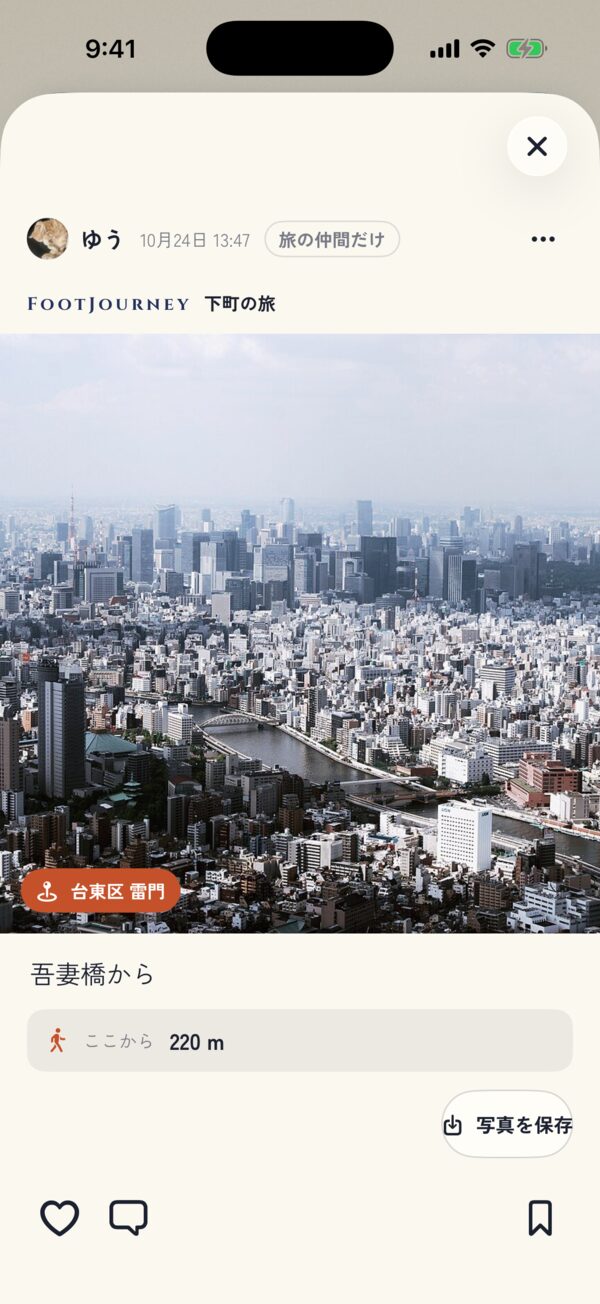
写真とひとことを、いま立っている場所に。見せる相手は、自分だけ・友達・旅の仲間・誰でもから選べます。「誰でも」の投稿は、1時間たってから、近くを通った人にニックネームで見えます。
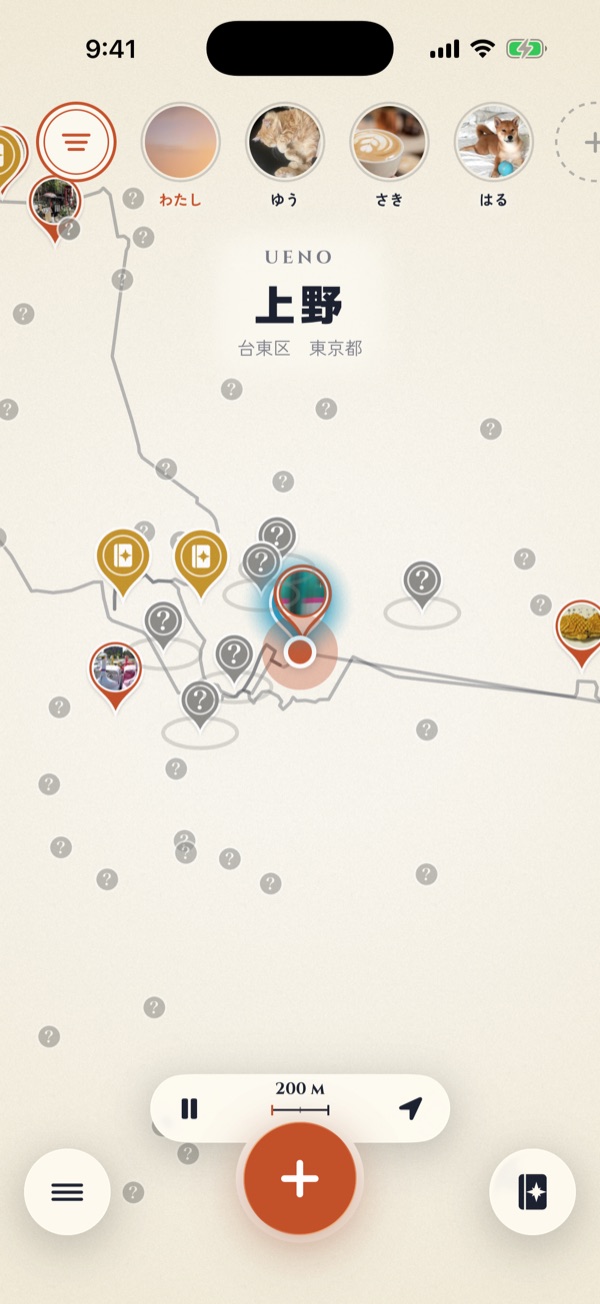
最初の地図は真っ白です。歩いた道だけが線で残り、何度も通った道ほど濃くなります。位置情報を「常に」にすると、アプリを閉じている間も描かれます。
友達のアイコンを押すと、その人の地図に切り替わります。歩いた道と投稿を見せ合い、いいね・コメント・メッセージでやり取りできます。
友達に見えるのは、どの道を何回通ったかだけで、通った時刻は見えません。線を見せる設定は、いつでも止められます。
FootNotes
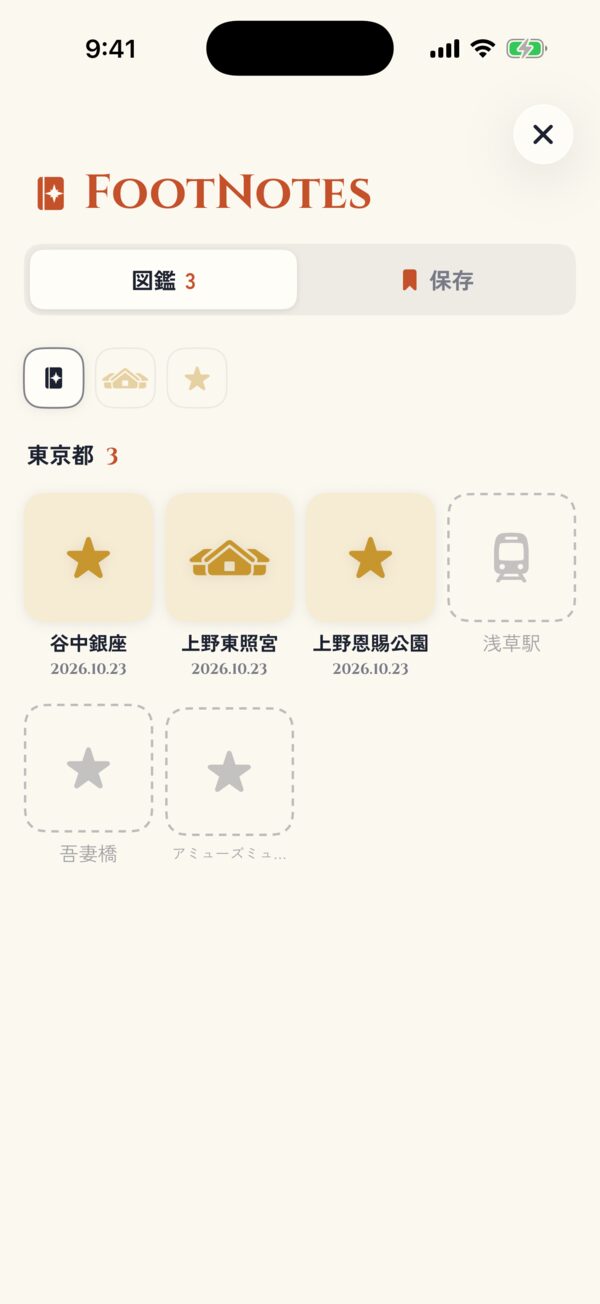
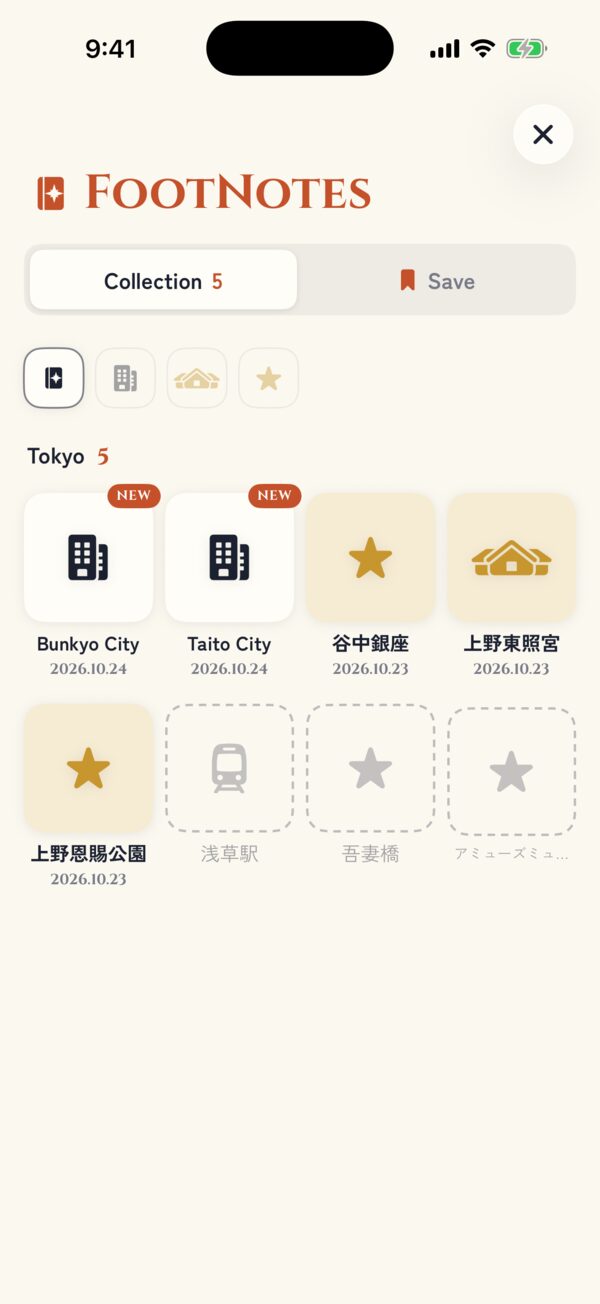
行った地名をタップすると、その町が FootNotes に集まります。日本のすべての市区町村に、公式サイト・人口・面積と、成り立ちや見どころの記事があります。駅や観光地の「?」は、近くまで行くと開きます。
記事は、公開されている資料をもとに AI で作成し、資料と照らし合わせています。人口と面積は総務省と国土地理院、海外は Wikidata の数字です。
FootPrint
期間を選ぶと、その間に歩いた道のりが早送りで描き直されます。速さは選べて、そのとき残した投稿も地図に並びます。
一日や旅の道のりは、友達に「足跡」として投稿できます。期間の設定も、足跡の投稿も無料です。
FootJourney
旅行モードは、旅の間だけの別の画面です。仲間それぞれの道のりが一枚の地図に重なり、旅が終わると、みんなの道と写真が旅の記録として残ります。
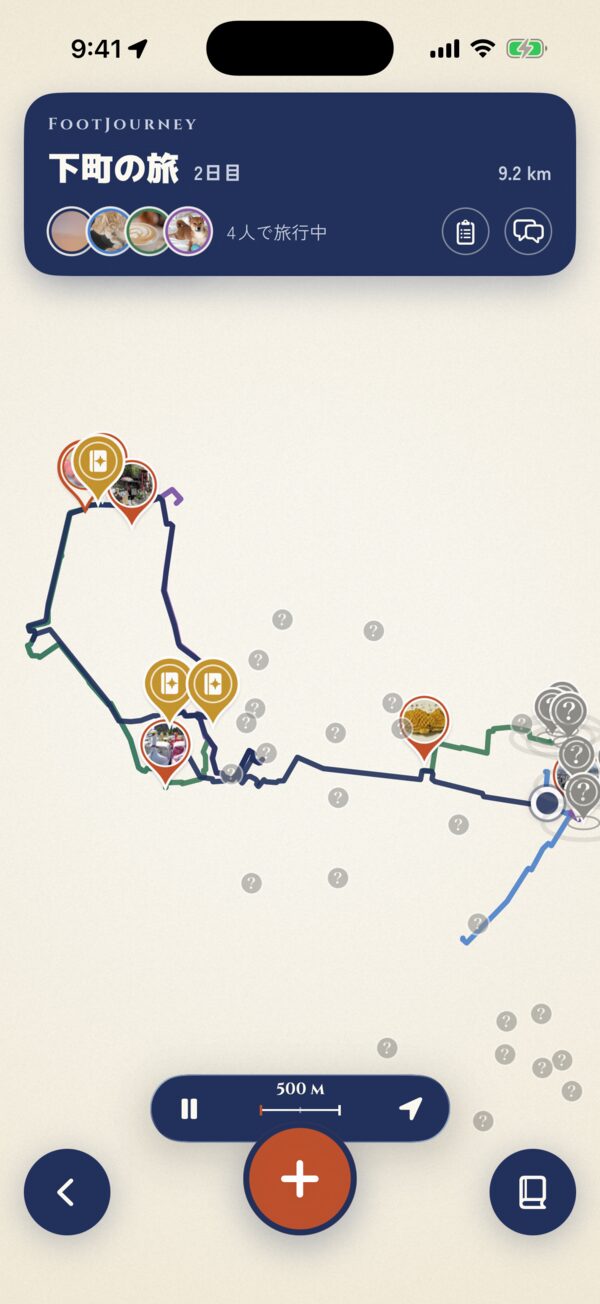
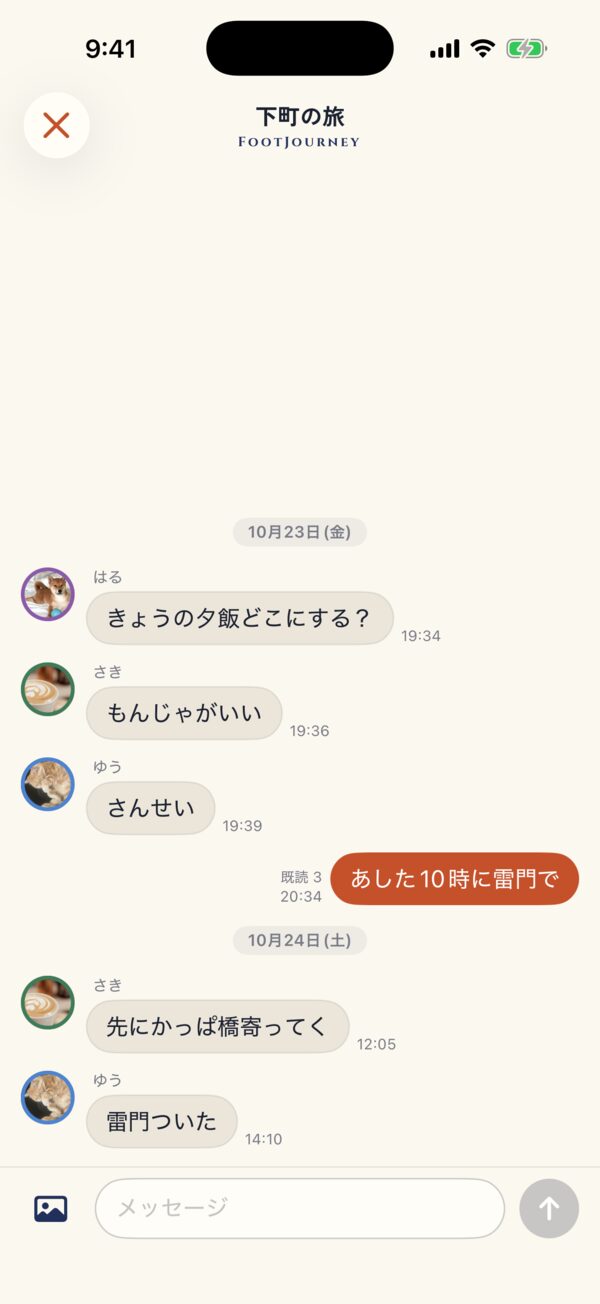
旅行モードは無料です。旅の間の道のりは、旅の仲間に時刻つきで見えます。
PictFoot+
紙の色と、線の描き味。
通り抜けた町が、FootNotes に入ります。
シャッターを長押しして。
離れていても読み返せます。
旅程・チケット・持ち物を、仲間みんなで。
月500円・はじめの1週間は無料App 内課金。期間の終わりの24時間前までに解約しない限り自動で更新されます。解約は、iPhone は「設定」→ Apple ID →「サブスクリプション」、Android は Google Play の「定期購入」から。
Business FootNotes
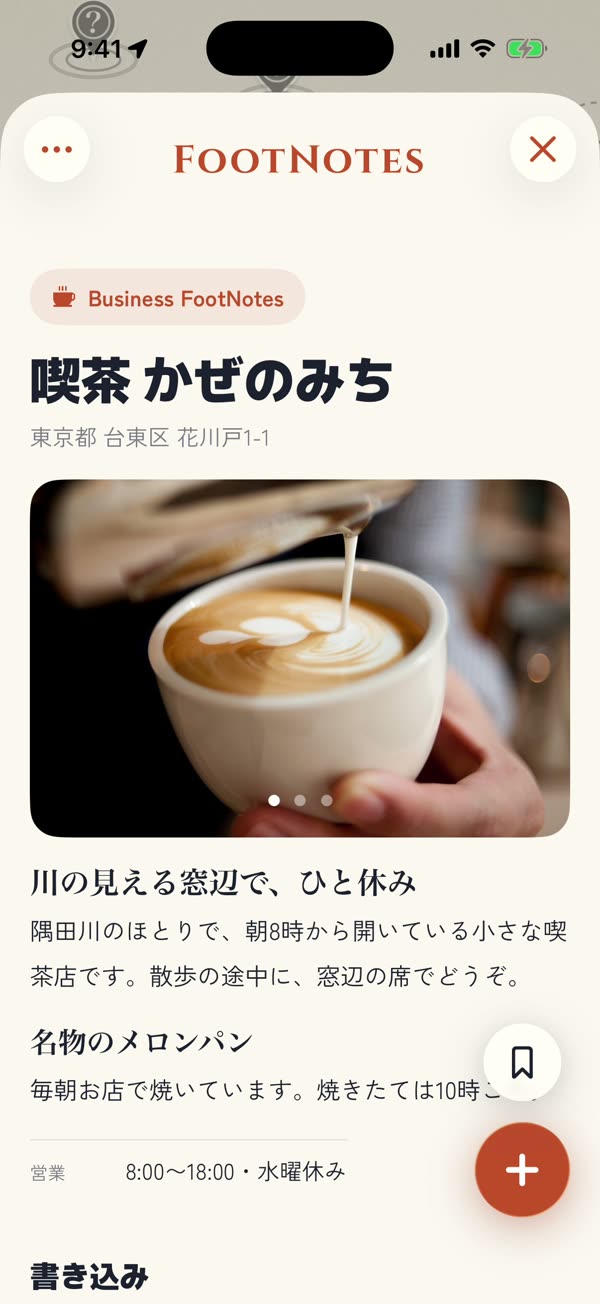
PictFoot の地図に、お店や施設のマークを置けます。近くを歩く人の地図に印が出て、100m 以内まで来た人だけが記事の続きを読めます。
近くを歩く人の地図に、お店のアイコンが出ます。
見出しと写真は誰でも。続きは、近くまで歩いて来た人だけに。
写真と文章はブラウザから。直したところは、すぐアプリに出ます。
地図に見えた回数、近くに来た回数、開いた人数を日ごとに。
月11,000円1か所・1か月
詳細を見る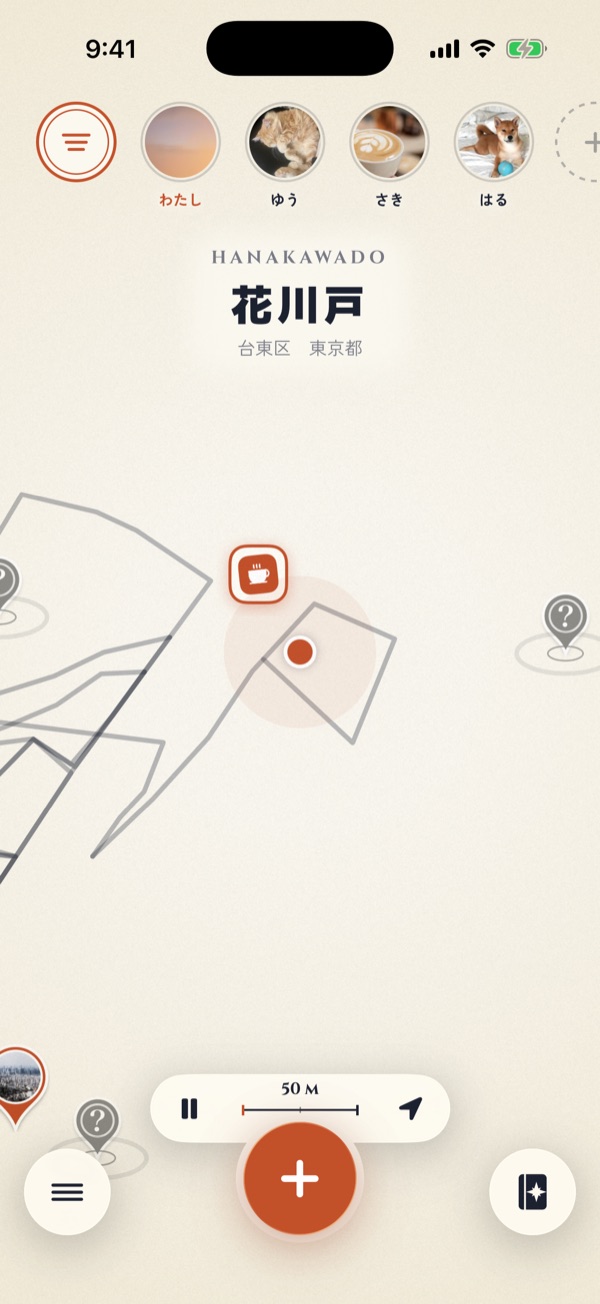
位置情報の許可を「常に」にすると記録されます。「このAppの使用中のみ」では、アプリを開いている間だけ記録します。
友達になった人にだけ見えます。歩いている間は、友達の地図でもほぼリアルタイム(1分ほど遅れ)で線が伸びます。見えるのはどの道を何回通ったかで、時刻は見えません。メニューの「振り返り」→「位置情報」で、いつでも止められます。
友達には、すぐに見えます。友達でない人には、投稿から1時間たってから、その場所の近く(約200m)を通ったときに、ニックネームで見えます(前の版のアプリからの投稿は24時間後)。
止まっている間は記録を休んで節約します。それでも気になるときは、位置情報の許可を「このAppの使用中のみ」にすると、アプリを開いている間だけ位置を使います。
訪れた町と約500m四方の区画を1時間単位で受け取り、個人が分からない集計にして、運営や統計にだけ使います。メニューの「振り返り」→「位置情報」からいつでも止められ、止めるとそれまでに送ったものも消します。
買ったストアで解約できます。iPhone は「設定」→ Apple ID →「サブスクリプション」、Android は Google Play の「お支払いと定期購入」→「定期購入」から。期間の終わりまでは使えます。
メニューの「設定」→「アカウントを削除」から退会できます。サーバーにある情報を消します。
株式会社StarRound
〒411-0907 静岡県駿東郡清水町伏見522番地の2
https://starround.co.jp/
support@pictfoot.com
不具合のときは、iPhone の機種、iOS のバージョン、起きたことをお書きください。
PictFoot
A map app for leaving photos and a few words at the places you go
Download the app

Free · for iPhone and Android
Concept
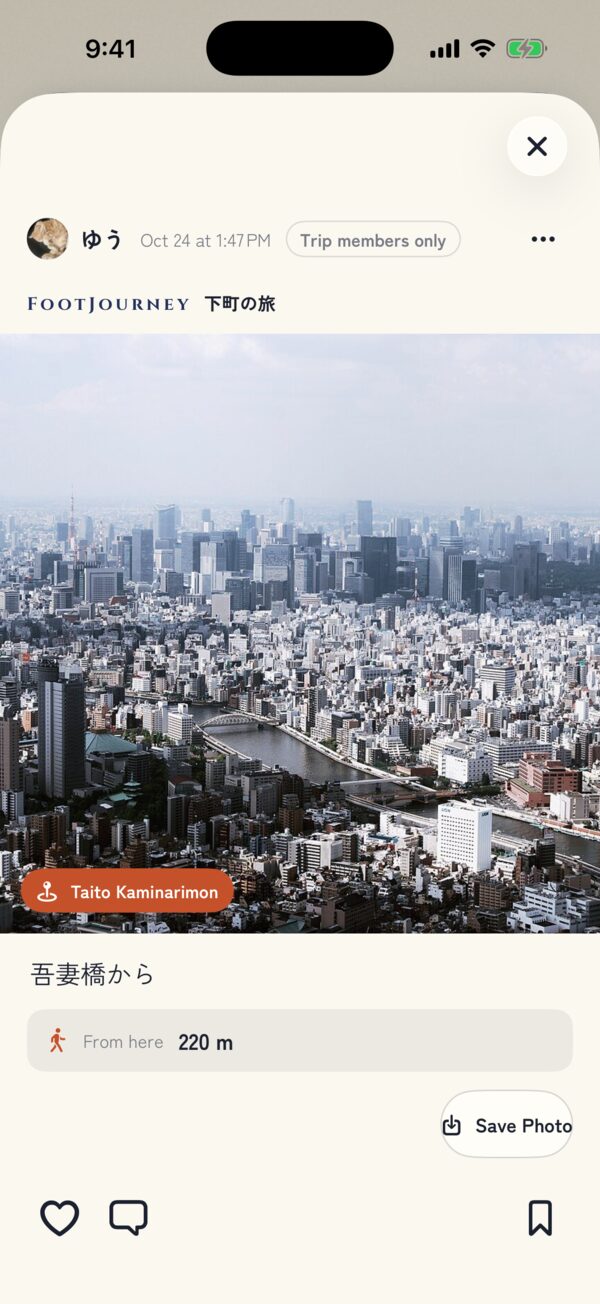
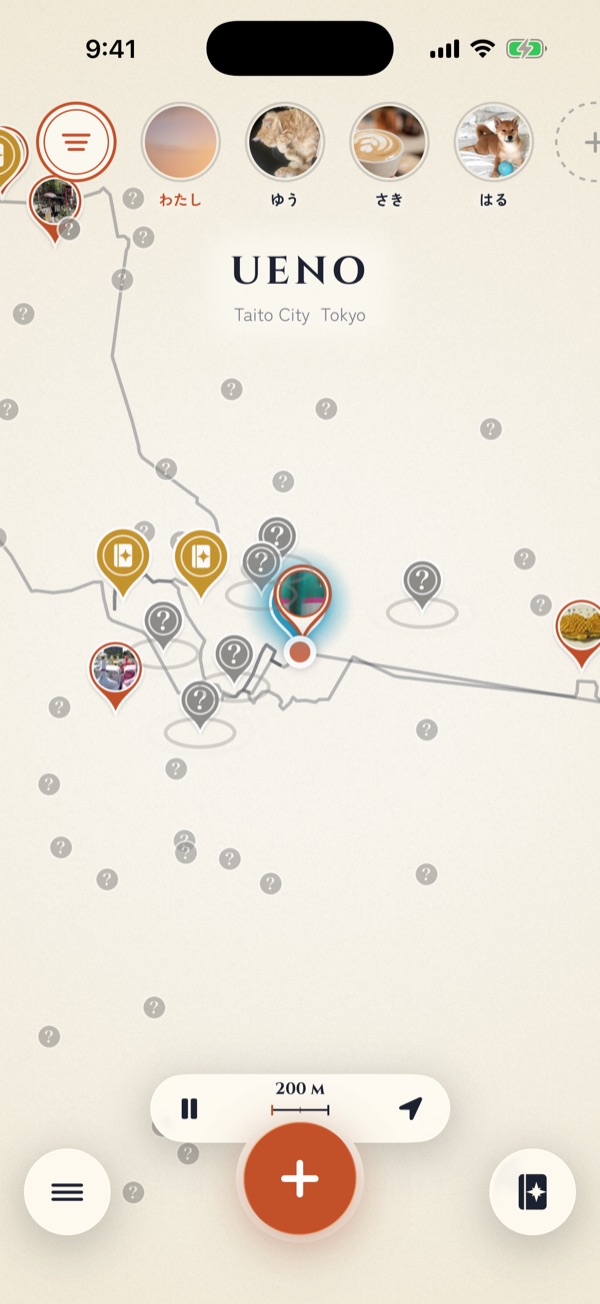
A photo and a few words, right where you stand. Choose who sees it: yourself, friends, trip members, or everyone. Public posts appear an hour later to people passing nearby, under your nickname.
Your map starts empty. Only the roads you walk appear, and the ones you take often grow darker. Set location access to "Always" to keep drawing while the app is closed.
Tap a friend's icon to switch to their map. See each other's roads and posts, and like, comment and send messages.
Friends see which roads you have walked and how often, but never when. You can stop sharing your line at any time.
FootNotes
Tap the name of a town you have been to, and it gathers in FootNotes: its official website, population, area, and an article on its story and sights, for every municipality in Japan. The "?" marks at stations and sights open when you get close.
Articles are written with AI from public sources and checked against them. Population and area in Japan come from the Ministry of Internal Affairs and the Geospatial Information Authority; facts abroad come from Wikidata.
FootPrint
Choose a period, and the routes you walked in it are redrawn in fast motion, at the speed you pick, with the posts you left along the way.
Post a day's or a trip's route to friends as a footprint. Choosing a period and posting footprints are free.
FootJourney
Travel Mode is a separate screen for the length of a trip. Everyone's routes share one map, and when the trip ends, the routes and photos stay as a record you share.
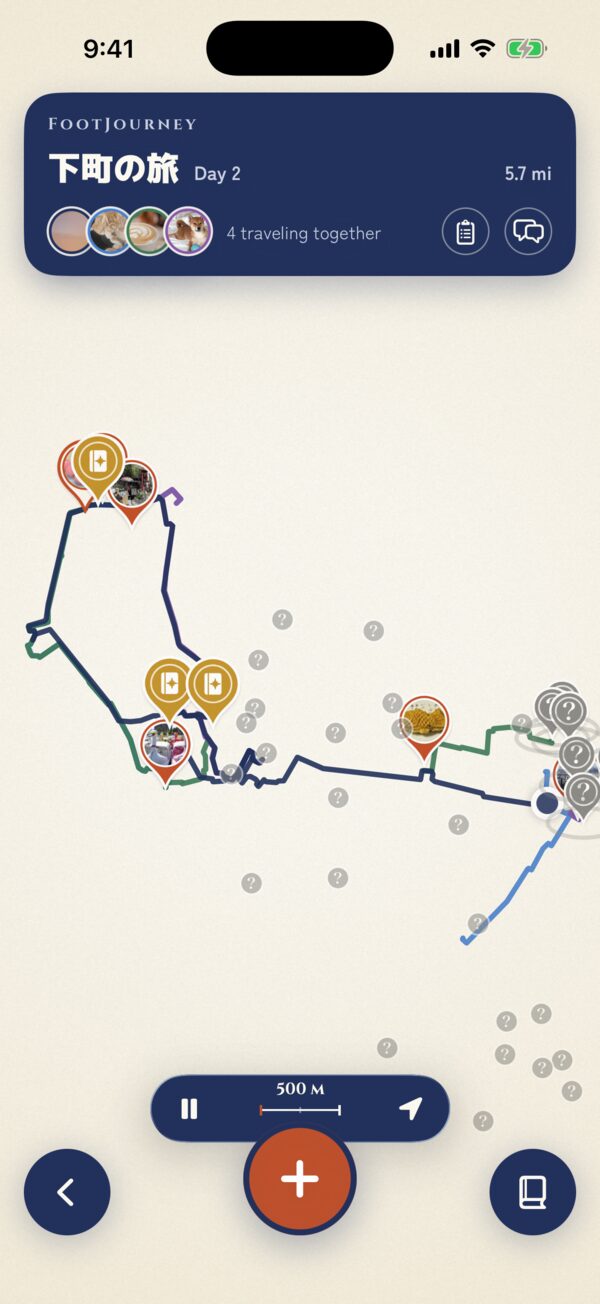
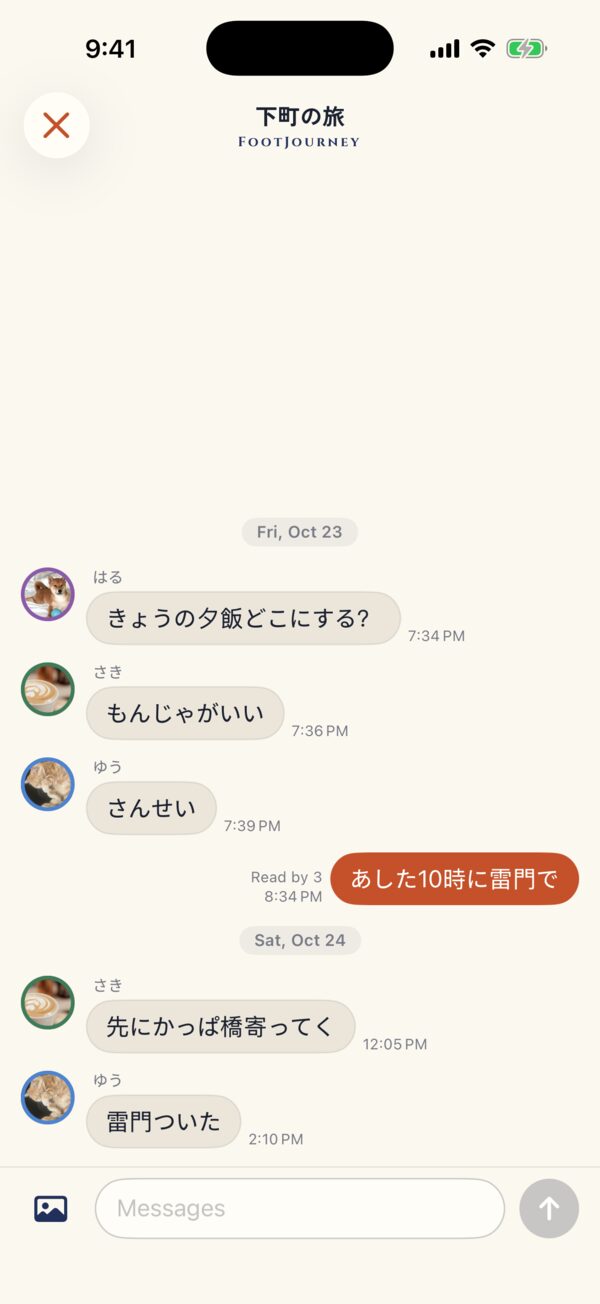
Travel Mode is free. While it is on, trip members see your route with the times.
PictFoot+
Paper color and pen.
Towns you pass go into FootNotes.
Hold the shutter.
Read them again from anywhere.
Itinerary, tickets and packing list.
¥500 a month · first week freeIn-app purchase. Renews automatically unless cancelled at least 24 hours before the end of the period. Cancel in Settings > Apple ID > Subscriptions on iPhone, or in Google Play > Subscriptions on Android.
Business FootNotes
Put your shop or place on the PictFoot map. It shows up on the maps of people walking nearby, and only those who come within 100 m can read the rest of your page.
Your icon appears on the maps of people nearby.
Anyone sees the title and photos; the rest opens for people who walk up.
Photos and text from your browser. Edits show in the app right away.
How often you were seen on the map, how often people came near, and how many opened your page, day by day.
¥11,000 a monthper place
Learn more
Yes, with location access set to "Always". With "While Using the App", it records only while the app is open.
Only your friends. While you walk, your line grows on their map almost live (about a minute behind). They see which roads and how often, never when. Turn it off any time in the menu: Look Back > Location.
Your friends see them right away. Others see them under your nickname when they pass within about 200 m of the place, starting an hour after you post (24 hours for posts from older versions of the app).
Cancel where you bought it: on iPhone in Settings > Apple ID > Subscriptions, on Android in Google Play > Payments & subscriptions > Subscriptions. You can use it until the end of the period.
Menu > Settings > Delete account. Your information on our server is deleted.
StarRound Inc.
522-2 Fushimi, Shimizu-cho, Sunto-gun, Shizuoka 411-0907, Japan
support@pictfoot.com
For problems, please tell us your iPhone model, iOS version and what happened.